

Register a New Application
1
Log in to the Platform
Log in at https://app.podero.com/accounts/login/ with the credentials you received.
2
Access the Application Portal
Visit https://app.podero.com/oauth2/applications/register/ (or use your sandbox URL subdomain) to create a new client application.
3
Configure Your Application
Fill in the application details:
4
Save Your Credentials
After copying your credentials, save the application.
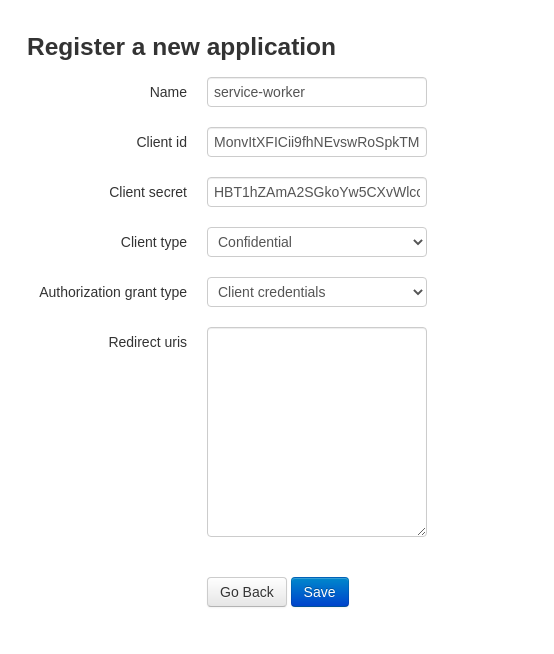
What You Received
After registration, you should have:- Client ID: A unique identifier for your application
- Client Secret: A secure key that proves your application’s identity
Next Step
Get Access Token
Generate your first API access token